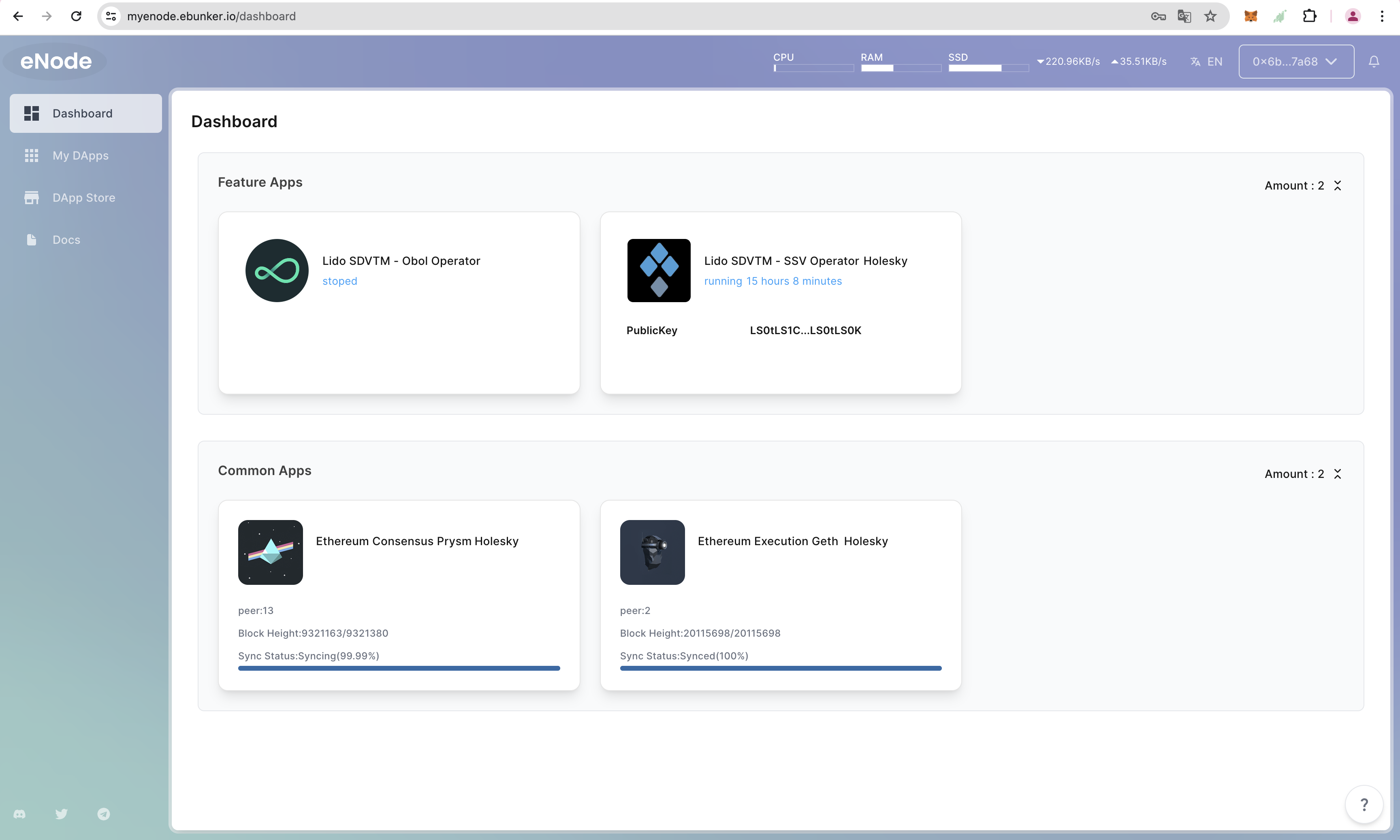
Step 1: Install SSV App
Bootstrapping
- Before running the validator program, please complete the bootstrapping process.
- Bootstrapping
Installing the SSV Holesky Application
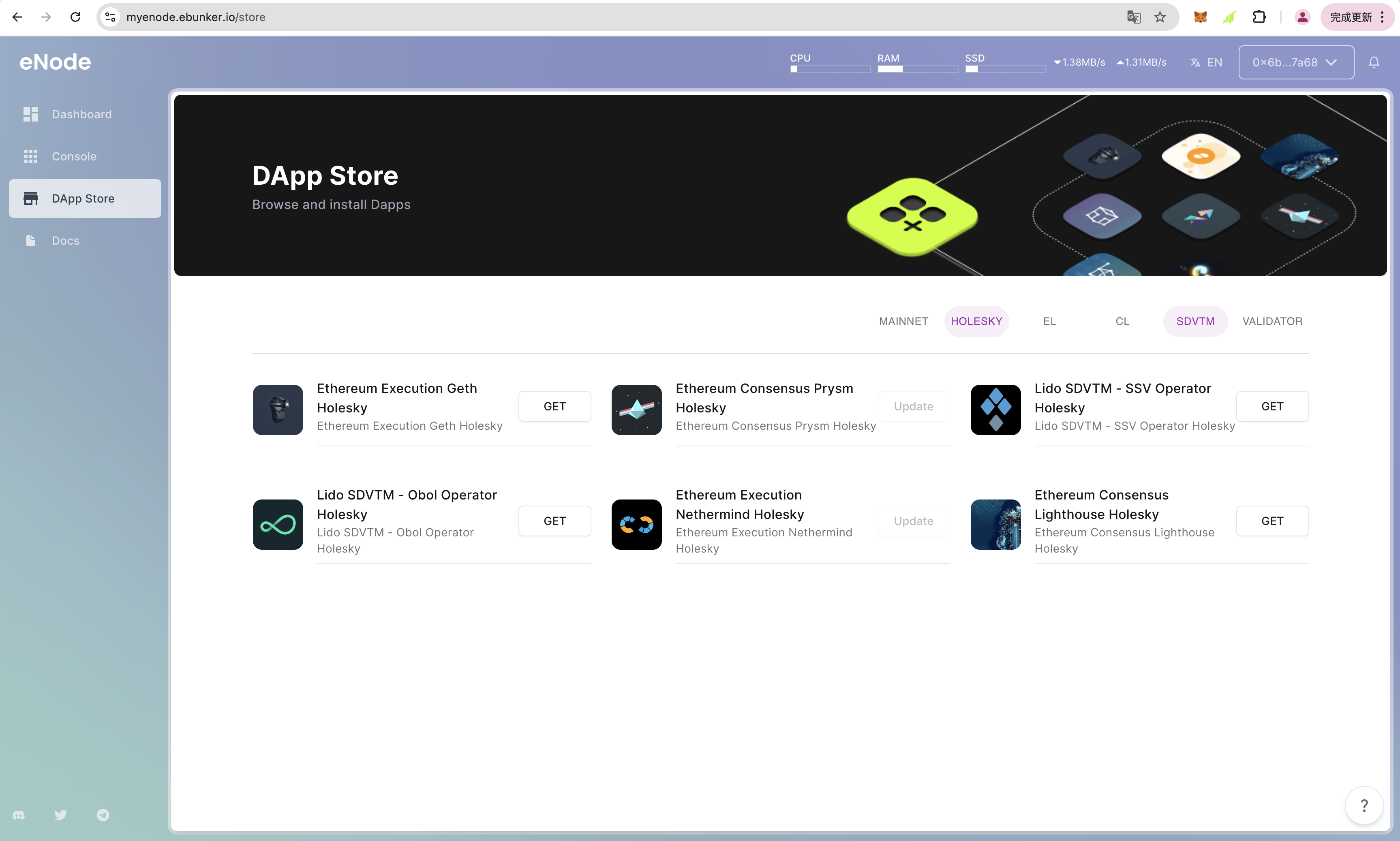
- After logging in to the website, click on DApp Store and install the node applications, including: Execution Layer Node Geth Holesky/Execution Layer Node Nethermind Holesky, Consensus Layer Node Prysm Holesky, and Lido SDVTM - SSV Operator Holesky. Click Get to install the SSV Operator program.
Starting Ethereum EL/CL Holesky Clients
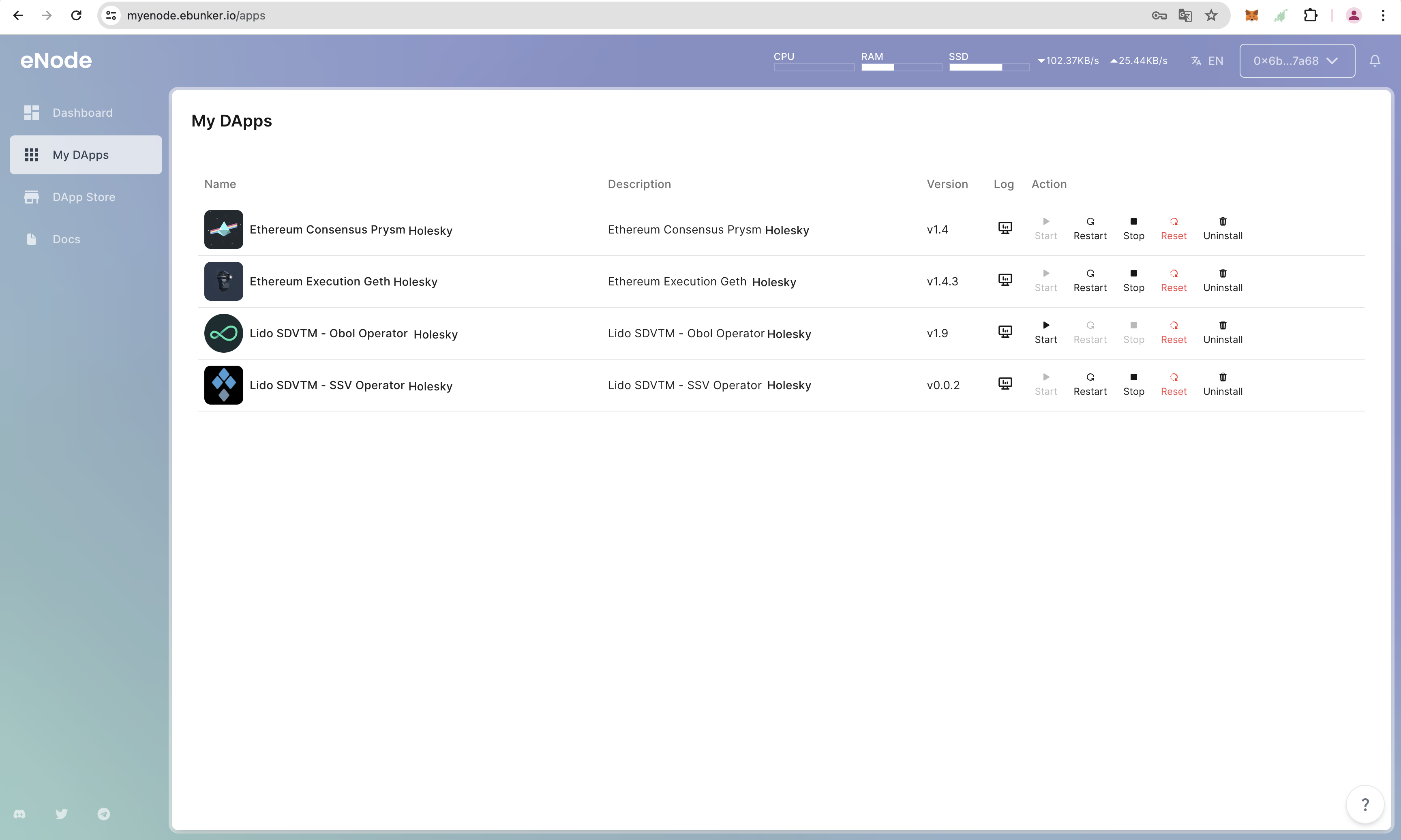
- Click on My DApps to view installed applications. The required clients for SSV Operator are as follows: Execution Layer Node Geth, Consensus Layer Node Prysm.
- Click Start to launch Geth and Prysm clients.
Configuring SSV Operator
- Click on Dashboard - SSV Operator to view the SSV Operator program.
- Configure SSV